Xoompay
Efficiently managing cross-sector payment handling. Various payment options for different locations. encompassing P2P, QR and conventional procurement techniques.
Website: xoompay.com
Set up Account Provider account
Step 1: Create Provider account
To create an account send connection request at the xoompay.com → Get Started or contact manager directly. Submit the required documents to verify your account and gain access.
Step 2: Get required credentials
Credentials that have to be issued:
- xoompay__authorization → Authorization
- xoompay__x_app_key → X-App-Key
Connect Provider Account
Step 1. Connect Provider account at the Corefy Dashboard
Press Connect at Xoompay Provider Overview page in 'New connection' section and choose Provider account option to open Connection form.
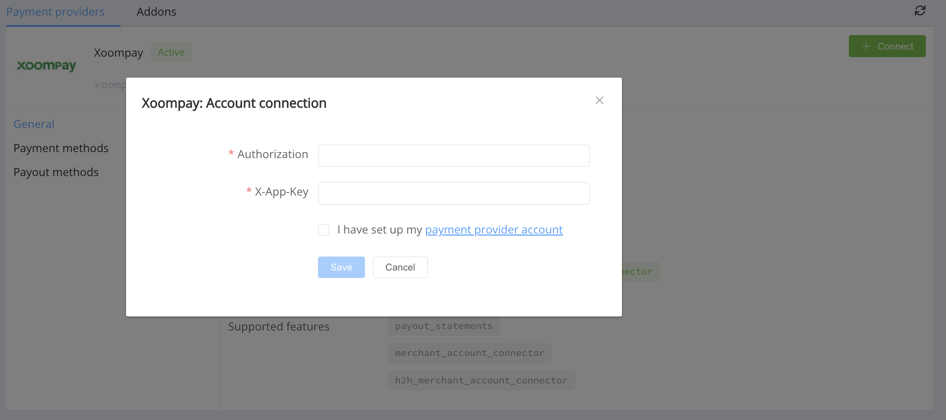
Enter credentials:
- Authorization
- X-App-Key
Success
You have connected Xoompay Provider account!
API examples:
Minimum data set to create a payment invoices for bkash_limited_bdt_hpp service
PAYMENT

POST /api/commerce/payment-invoices HTTP/1.0
{
  "data":{
    "type":"payment-invoice",
    "attributes":{
      "service":"bkash_limited_bdt_hpp",
      "commerce_account":"Hello World",
      "currency":"BDT",
      "amount":302.2,
      "flow":"charge",
      "gateway_options":{
        "cardgate":{
          "tokenize":""
        }
      },
      "customer":{
        "reference_id":"d5344b95-3f49-48af-99dd-f1756981e799"
      },
      "test_mode":false,
      "options":{
        "allow_partially":false,
        "bypass_hpp":false,
        "send_operation_context_on_return":false
      },
      "reference_id":"7eb9eb40-71b8-4909-a383-f32f7f75d330",
      "service_fields":[
      ]
    }
  }
}
Maximum data set to create a payment invoices for bkash_limited_bdt_hpp service
PAYMENT

POST /api/commerce/payment-invoices HTTP/1.0
{
  "data":{
    "type":"payment-invoice",
    "attributes":{
      "service":"bkash_limited_bdt_hpp",
      "commerce_account":"Hello World",
      "currency":"BDT",
      "amount":302.2,
      "flow":"charge",
      "gateway_options":{
        "cardgate":{
          "tokenize":""
        }
      },
      "customer":{
        "reference_id":"d5344b95-3f49-48af-99dd-f1756981e799",
        "name":"John Doe",
        "email":"test@mail.com",
        "phone":"+12345678901"
      },
      "test_mode":false,
      "options":{
        "allow_partially":false,
        "bypass_hpp":false,
        "send_operation_context_on_return":false
      },
      "reference_id":"7eb9eb40-71b8-4909-a383-f32f7f75d330",
      "service_fields":[
      ]
    }
  }
}
Constants
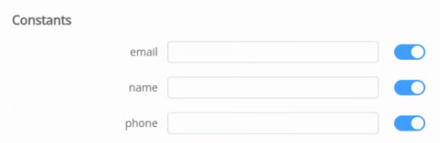
If some parameters are not sent in the transaction creation request, they will take the values from the set constants.
Here is a list of constants with their corresponding parameters:
- EMAIL → customer [email]
- NAME → customer [full_name]
- PHONE → customer [phone]
Question
"Still looking for help connecting your Xoompay account?" Please contact our support team!