
Payball
Website: payball.com
Set up Account H2H merchant account
Step 1: Create Merchant Account
To create an account send connection request at the payball.com/contactuspage or contact manager directly. Submit the required documents to verify your account and gain access.
Step 2: Get required credentials
Credentials that have to be issued:
- merchant_id → Merchant ID
- payment_method_id → Payment method GUID
- private_key → Private key
Connect H2H Merchant Account
Step 1. Connect H2H account at the Corefy Dashboard
Press Connect at Payball Provider Overview page in 'New connection' section and choose H2H Merchant account option to open Connection form.
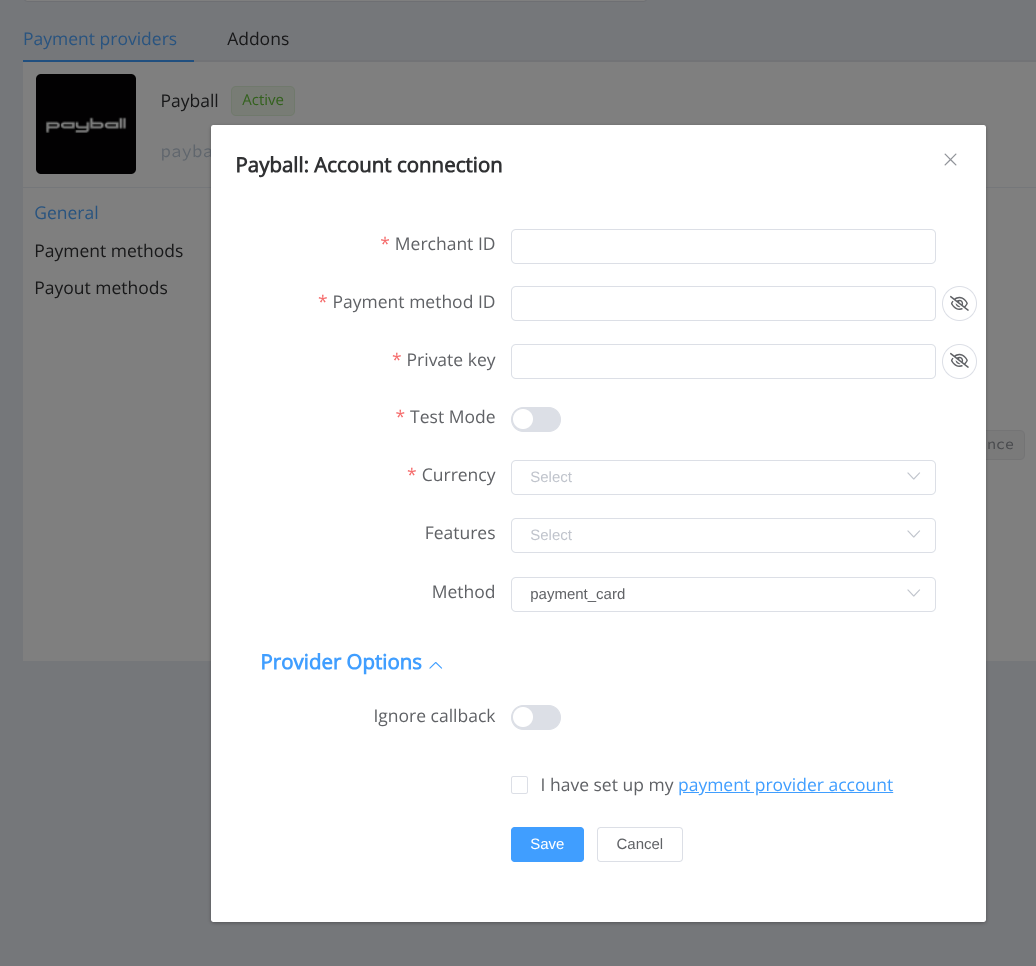
Enter credentials:
- Merchant ID
- Payment method GUID
- Private key
- Test mode → true/false
- Currency → choose currency
Success
You have connected Payball H2H merchant account!
API examples:
Maximum data set to create a payment invoices for payment_card_usd_hpp service
SALE

POST /api/payment-invoices HTTP/1.1
{
  "data": {
    "type": "payment-invoice",
    "attributes": {
      "reference_id": "882f2326-0451-473a-9c43-3c6b1b8997e9",
      "service": "payment_card_usd_hpp",
      "currency": "USD",
      "amount": 1,
      "flow": "charge",
      "test_mode": false,
      "customer": {
        "reference_id": "4755",
        "name": "John Smith",
        "email": "test+12223334455@test.com",
        "phone": "+12223334455",
        "date_of_birth": "2000-12-31",
        "address": {
          "full_address": "1st Avenue North",
          "country": "US",
          "region": "NY",
          "city": "New York",
          "post_code": "12345"
        }
      },
    }
  }
}
Minimum data set to create a payment invoices for payment_card_usd_hpp service
SALE

POST /api/payment-invoices HTTP/1.1
{
  "data": {
    "type": "payment-invoice",
    "attributes": {
      "reference_id": "882f2326-0451-473a-9c43-3c6b1b8997e9",
      "service": "payment_card_usd_hpp",
      "currency": "USD",
      "amount": 1,
      "flow": "charge",
      "test_mode": false
    }
  }
}
H2H Merchant Account Options
- Ignore callback
- for cascading to work correctly, we exclude the possibility of finalizing payments using asynchronous callbacks, ignore the callback, do not change the status of the transaction on it in any way and rely only on the status request for finalization (Reconciliation)
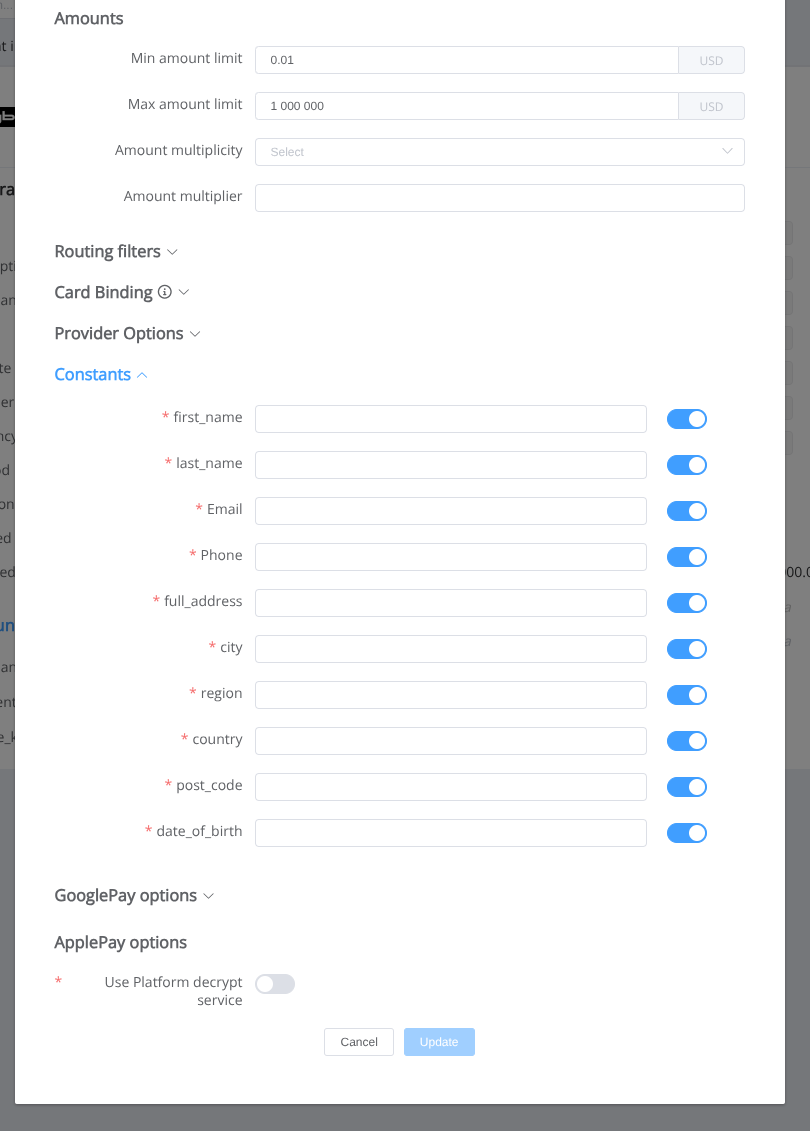
Merchant H2H Constants (available on routes connected via a merchant account)
- optional customer data fallbacks
- first_name
- last_name
- phone
- full_address
- city
- region
- country → alpha-3 code. example: USA
- post_code
- date_of_birth → format YYYY-MM-DD
Question
"Still looking for help connecting your Payball account?" Please contact our support team!