
NEXPAY
Payout connector with reconciliation and deposit account support.
Website: paynexpay.com
Follow this guide to set up and connect your Nexpay provider account.
Set Up Account
Step 1: Create provider account
Send a request via the Nexpay website or contact your manager directly. Submit required documents to verify your account and get access.
Step 2: Get required credentials
Credentials that have to be issued:
nexpay__external_id-> External ID (Enter any unique value. This is for Corefy's internal ID.)nexpay__api_key-> API keynexpay__message_secret-> Message secretnexpay__transaction_secret-> Transaction secretnexpay__test_mode-> Test mode (true/false)
Important
Confirm with your manager whether IP whitelisting is required. If yes, use IP addresses from the Corefy list.
Connect Provider Account
Step 1. Connect account at the Corefy Dashboard
Press Connect at NEXPAY Provider Overview in the New connection section and choose Provider account.
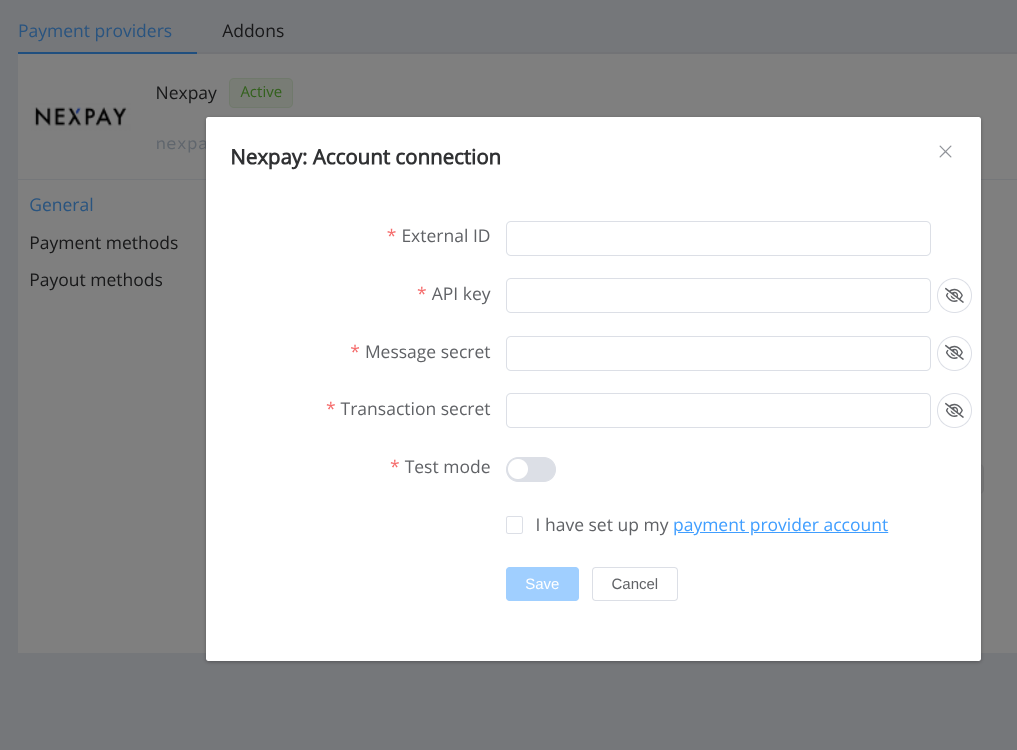
Enter credentials:
- External ID
- API key
- Message secret
- Transaction secret
- Test mode
Success
You have connected NEXPAY Provider account.
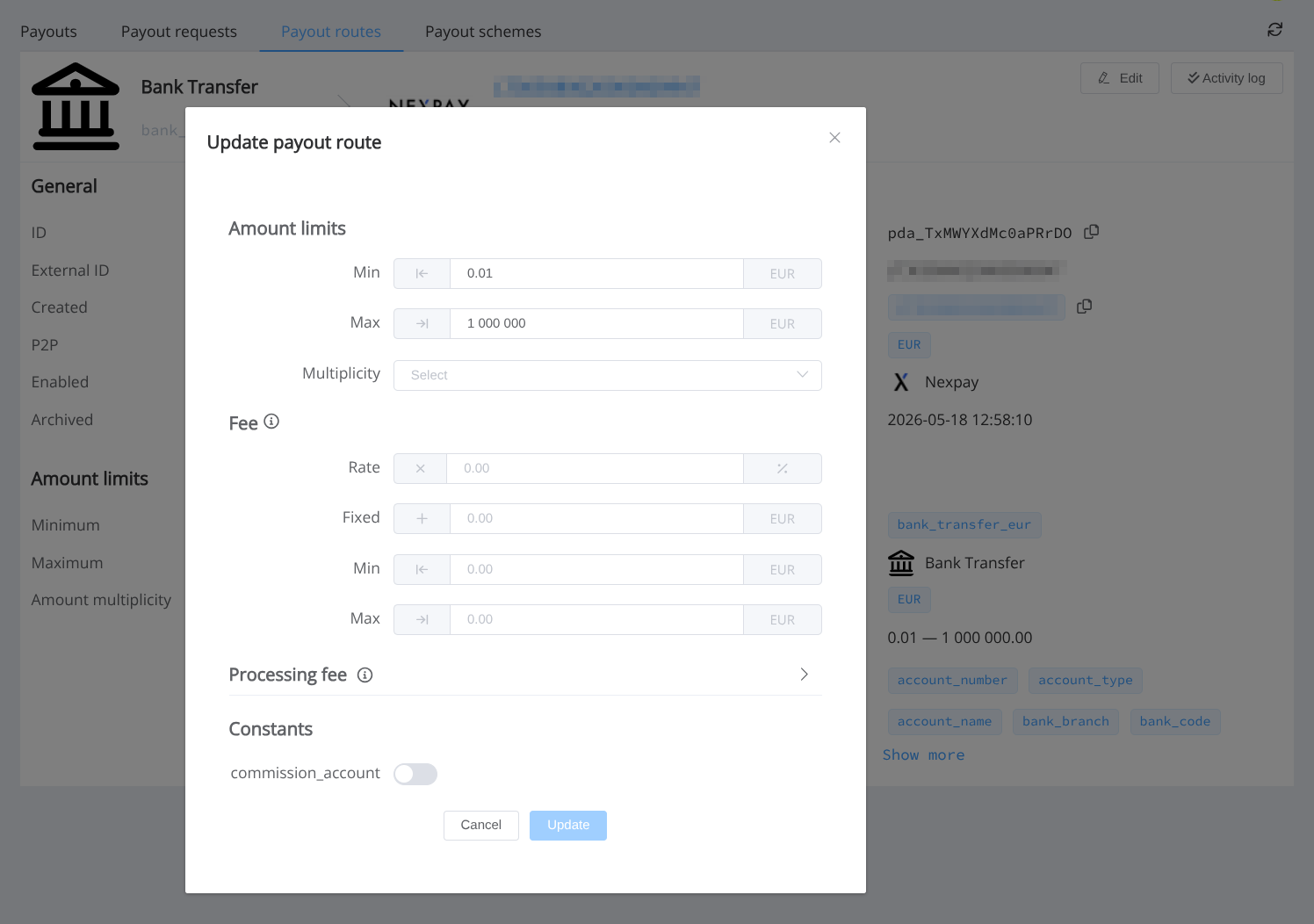
Route constant
For payout routes (bank_transfer_eur) you can set:
commission_account(optional) -> IBAN used ascommissionAccount
Data set to create a payout invoices for bank_transfer_eur service
POST /api/payout-invoices
{
  "data": {
    "type": "payout-invoices",
    "attributes": {
      "reference_id": "PAYOUT_ID",
      "amount": 250,
      "currency": "EUR",
      "service": "bank_transfer_eur",
      "customer": {
        "reference_id": "CUST123456789",
      },
      "fields": {
        "account_number": "GB97BARC20031877565489",
        "beneficiary_full_name": "John Doe"
      }
    }
  }
}
Still looking for help connecting your Nexpay account?